How to Manage Multiple Instagram Accounts for Outreach
Running Instagram outreach across 5, 10, or 20 accounts without getting any of them flagged requires the right accounts, the right infrastructure, and one rule most operators skip on day one.
Quick Answer
- Never use your personal Instagram for outreach campaigns — one restriction and your real account is gone. Use dedicated aged accounts instead
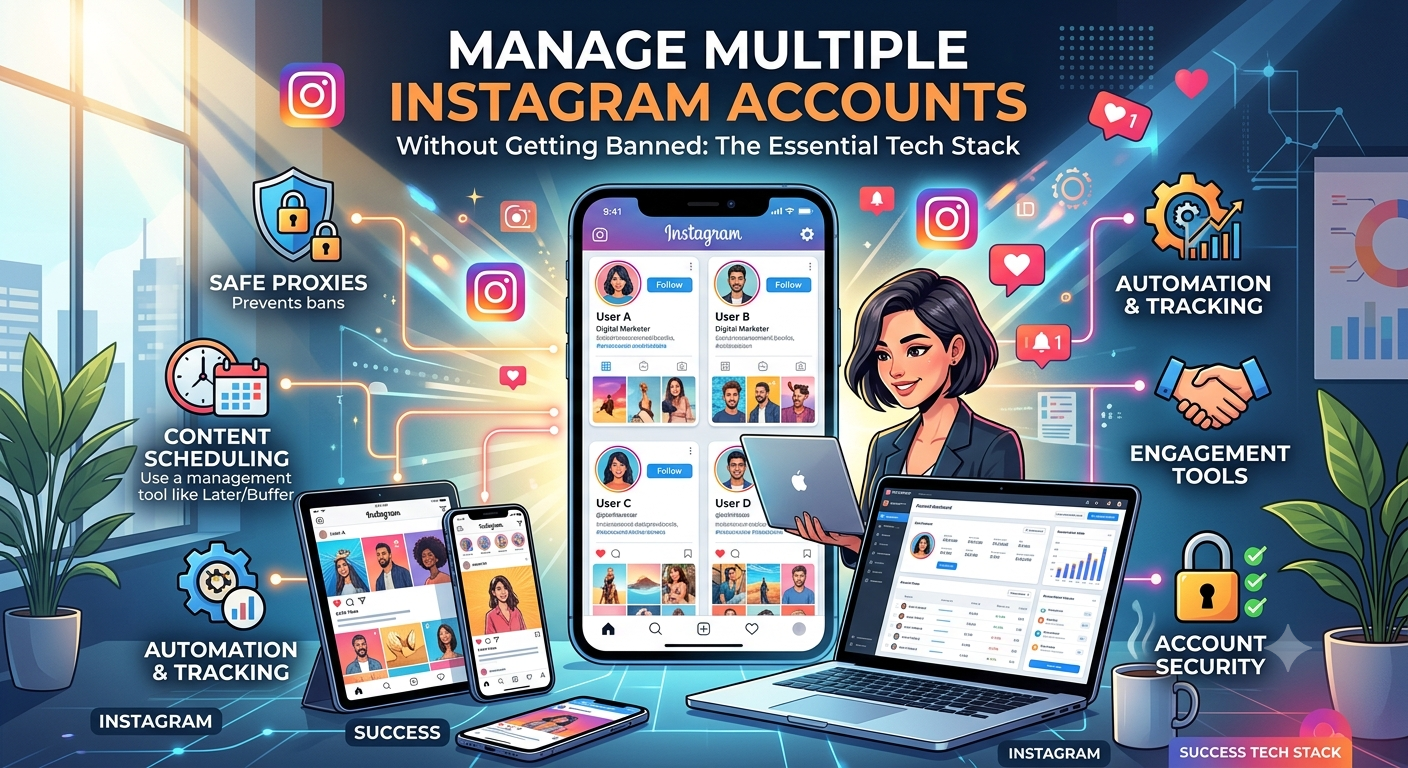
- The full tech stack: aged Instagram accounts + residential proxy per account + antidetect browser + VPS to run everything 24/7
- First 24 hours after setup: log in once, browse naturally for 10 minutes, then do nothing for a full day before any activity
- Automation: only after a full 20-day warmup — never connect automation tools to accounts that haven’t been properly warmed
Why Managing Multiple Instagram Accounts for Outreach Fails Without the Right Setup
The failure pattern is always the same. An operator starts Instagram outreach from a fresh account or their personal profile, sends a batch of DMs, and gets action-blocked within days. They create another account, repeat the same process, and burn through accounts faster than they can set them up.
The problem isn’t the outreach strategy — it’s the account infrastructure. Instagram’s spam detection is built around behavioral signals: how old is the account, what IP is it logging in from, is the device fingerprint consistent, how quickly is DM volume scaling. A fresh account with no history triggering 30 DMs per day from a datacenter IP on a shared browser is flagged within hours. An aged account with genuine history, a dedicated residential proxy, and a properly isolated browser environment operates at full outreach volume for months.
This guide covers the complete infrastructure — what accounts to use, how to set everything up, what to do in the first 24 hours, and how to scale across multiple accounts without any of them contaminating each other.
- Use personal Instagram for outreach
- Fresh accounts — zero trust history
- Same IP across multiple accounts
- Same browser for all accounts
- Jump to full DM volume immediately
- Account flagged within days
- Dedicated aged accounts — personal profile untouched
- 2+ years of real activity history per account
- One residential proxy per account
- Isolated browser profile per account
- 24-hour rest after first login, then gradual warmup
- Accounts running at full volume for months
Why You Need Aged Instagram Accounts — Not Fresh Ones
Every fresh Instagram account starts with zero trust. No login history, no engagement patterns, no activity signals for Meta’s algorithm to evaluate. That zero-history starting point means aggressive sending limits from day one, higher action block rates, and a much shorter operational lifespan before restrictions hit.
Aged Instagram accounts solve this by bringing 2+ years of established history to every outreach campaign. Meta’s systems read them as legitimate, established users — which translates directly to lower action block rates, better DM deliverability, and the ability to reach 30–35 DMs per day after a proper warmup without triggering flags.
Where to Buy Aged Instagram Accounts for Outreach
coldaccs.com specializes in aged Instagram accounts built specifically for outreach and content posting. Every account has verified activity history that Meta’s systems recognize as legitimate. Options range from clean aged profiles up to accounts with 10,000 real followers — which significantly increases reply rates because prospects respond more readily to established-looking accounts.
- ✓ 2+ years of verified account history
- ✓ Options up to 10,000 real followers
- ✓ Built for DM outreach and content posting
- ✓ Bulk orders available — different setup per account
- ✓ From 8€ per account — one-time cost
The Complete Tech Stack for Running Multiple Instagram Accounts
The accounts are the foundation but they’re not enough on their own. Every account needs its own isolated environment — its own IP, its own browser fingerprint, its own behavioral history. Here’s the full stack and why each component is non-negotiable.
| Tool | Purpose | Provider | Starting Price |
|---|---|---|---|
| Aged Instagram Accounts | 2+ year history — outreach ready | coldaccs.com | From 8€ |
| Residential Proxies | Unique IP per account — geo-matched | webshare.io | ~$1/proxy |
| Antidetect Browser | Isolated browser profile per account | hidemyacc.com | From $10/month |
| VPS / Server | Run all accounts 24/7 remotely | petrosky.io | From 10€/month |
| DM Automation | Automated outreach at scale 24/7 | colddms.com | From $99/month |
How to Set Up and Manage Multiple Instagram Accounts Safely
Buy aged accounts from a specialized source — not a random marketplace where “aged” can mean anything. coldaccs.com provides accounts with verified 2+ year history built specifically for the outreach use case. For bulk operations, stagger your warmup start dates across the batch so you always have accounts at different stages of readiness.
- Order from coldaccs.com — from 8€ per account, one-time cost
- Assign one account per client or campaign — never run two client campaigns from the same account
- If buying in bulk, plan to start warmup on 2–3 accounts per week rather than all at once
- Consider follower count based on your target audience — higher followers increase reply rates significantly
Instagram tracks IP addresses and flags accounts that share IPs with multiple profiles or log in from datacenter IPs. Every account needs its own dedicated residential proxy — ideally from the same geographic region as your target audience. Using US proxies for outreach targeting US prospects creates a clean, consistent behavioral signal.
- Get Private Static Residential Proxies from webshare.io — approximately $1 per proxy
- Select USA location for most outreach campaigns — match the geo to your target audience
- One proxy per account — never share proxies between accounts
- Never swap the proxy on an active account mid-campaign — IP consistency is critical to account health
- For 10 accounts, you need 10 proxies — scale accordingly
Instagram’s device detection goes beyond IP tracking — it fingerprints your browser, canvas signature, WebGL, fonts, and timezone. Running multiple Instagram accounts in a regular browser, even different Chrome windows, creates shared fingerprint signals that Instagram’s systems are trained to detect. Each account needs a completely isolated browser environment with a unique fingerprint.
- Get HideMyAcc from hidemyacc.com — start with the plan that matches your account count (up to 30 profiles on Starter)
- Create one browser profile per Instagram account — label each clearly by client or campaign name
- Assign the matching proxy to each browser profile before any login
- Never open two different Instagram accounts from the same browser profile
Running 10 Instagram accounts from your personal laptop is not sustainable — your machine goes offline, travels, and shares its environment with everything else you do. A VPS is a dedicated remote server that runs your browser profiles and accounts 24/7 from a stable, consistent environment completely independent of your personal machine.
- Get a VPS from petrosky.io — from 10€/month
- Install HideMyAcc on the VPS and run all browser profiles from there
- Access the VPS remotely from your machine to manage campaigns and check progress
- More accounts = more CPU and RAM — upgrade the VPS plan as you scale beyond 5–7 accounts
- The VPS keeps accounts active and consistent even when you’re offline
This is the step most operators skip and it causes more early account restrictions than any other single mistake. When you log into an aged Instagram account from a new proxy and browser environment for the first time, Instagram’s systems register a new device and IP address. That transition needs time to settle before any outreach activity begins. Treat the first 24 hours as sacred — any activity during this window signals automated behavior.
- Log in for the first time through the correct HideMyAcc profile with the assigned proxy active
- Browse the feed naturally for 10–15 minutes — scroll, view stories, look at profiles
- Do not send any DMs, follow anyone, post content, or like anything aggressively
- Log out and leave the account completely alone for a full 24 hours minimum
- After 24 hours, begin the gradual warmup process — never skip straight to full volume
Even with aged accounts that have years of history behind them, you must warm up each account after taking over a new login session. Instagram tracks behavioral patterns — a sudden spike from zero DMs to 30 per day on the same day as first login is a flag regardless of account age. The warmup process gradually builds volume over 20 days until the account is operating at full outreach capacity.
- Start at 1–3 DMs per day after the 24-hour rest period
- Increase by +2 DMs every 3 days — gradual scaling is the key
- Target 30–35 DMs per day by day 20 — the safe maximum for sustained outreach
- If action blocked at any point, pause all activity for 24–48 hours before resuming at a lower volume
- Read the full warmup guide: Instagram Account Warmup for Outreach →
Once an account has completed the 20-day warmup and is consistently hitting 30–35 DMs per day without any action blocks, it’s ready for automation. colddms.com handles DM sending, follow-ups, and campaign management automatically across all your accounts — so you’re not manually logging into each account every day just to send messages.
- Never connect automation before the 20-day warmup is complete — this is the most common cause of account loss
- Get colddms.com from colddms.com — 3-day free trial, from $99/month
- Keeps DM volume within safe daily limits automatically — no manual monitoring needed
- Manages follow-ups across all accounts so no prospect falls through without a response
- Runs 24/7 from your VPS — fully automated outreach while you focus on closing replies
What Never to Do When Managing Multiple Instagram Accounts
🚫 Never — For Any Account
- Skip the 24-hour rest after first login — this is the fastest way to trigger an early restriction even on well-aged accounts
- Log into two different Instagram accounts from the same browser profile
- Swap the proxy on an active account mid-campaign — IP consistency is critical
- Use your personal Instagram account for any outreach campaigns
- Connect automation tools before completing the full 20-day warmup
- Jump from 0 to 30 DMs per day on the same day as first login
- Use the same message template word-for-word across multiple accounts simultaneously
- Log in from your personal machine while the same account is running on the VPS
- Run multiple accounts from the same IP — even temporarily
How to Run 10+ Instagram Accounts at Once Without Losing Any
Label everything clearly from account one
In HideMyAcc, name each browser profile by client or campaign. In Webshare, note which proxy is assigned to which account. A simple spreadsheet tracking account → proxy → browser profile → campaign prevents the cross-contamination mix-ups that become increasingly likely as account count grows.
Stagger warmup start dates across new accounts
When adding new accounts to your operation, start 2–3 per week rather than all at once. Staggered warmup periods mean you always have accounts at different stages — some fully operational, some warming up — which smooths out your outreach capacity over time and keeps each warmup manageable to monitor.
Upgrade VPS resources as account count grows
Each browser profile running on the VPS consumes CPU and RAM. 3–5 accounts run comfortably on an entry-level plan. At 10+ accounts, upgrade to a plan with more resources. Running too many profiles on an underpowered VPS slows everything down and creates inconsistent behavior patterns that can trigger Instagram’s detection systems.
Check each account weekly for early warning signs
Set a weekly review of DM acceptance rates, any warning messages from Instagram, and whether daily limits are being respected. An account that’s getting action blocked more frequently than normal or seeing a drop in reply rates is signaling that volume needs to be reduced before Instagram takes harder action.
Full warmup protocol reference
For the complete 20-day warmup process with day-by-day instructions, DM limits, what to post, and how to handle action blocks — read the full guide: Instagram Account Warmup for Outreach →
The Right Setup Runs for Months. The Wrong One Burns Out in Days.
Every piece of the infrastructure exists for a reason. The proxy keeps accounts isolated. The antidetect browser keeps fingerprints separate. The VPS keeps everything consistent. The 24-hour rest protects new login sessions. Skip any one of these and you’re shortening the operational lifespan of every account in your setup.
Buy Aged Instagram Accounts →From 8€ · 2+ years history · Up to 10k followers · Built for outreach
Frequently Asked Questions
Use one residential proxy, one isolated browser profile in an antidetect browser, and one aged account per campaign — all running from a VPS. After first login, wait 24 hours before any activity. Then follow a gradual 20-day warmup process before reaching full DM volume. Never share IPs or browser profiles between accounts — cross-contamination between accounts is the most common cause of multiple simultaneous restrictions.
Fresh Instagram accounts start with zero trust history — no logins, no activity, no behavioral signals for Meta’s algorithm to evaluate. That zero-history starting point means aggressive sending limits from day one and a much higher action block rate. Aged accounts with 2+ years of real activity history are treated as established users by Meta’s systems, which translates to lower action block rates, better DM deliverability, and the ability to scale to 30–35 DMs per day after a proper warmup.
When you connect an aged Instagram account to a new proxy and browser environment for the first time, Instagram’s systems register a new device and IP address. That transition needs time to be recognized as normal user behavior before any outreach activity begins. Starting DM activity on the same day as first login — even with a well-aged account — signals automated behavior and significantly increases the risk of an early restriction.
After completing the full 20-day warmup process, aged Instagram accounts can safely operate at 30–35 DMs per day. This is the safe maximum for sustained outreach volume. The warmup builds up to this number gradually — starting at 1–3 DMs per day and increasing by +2 every 3 days. Jumping to maximum volume before completing the warmup is the most common cause of early account restrictions.
Only after the full 20-day warmup is complete and the account is consistently hitting 30–35 DMs per day without action blocks. Connecting automation tools like colddms.com to accounts that haven’t been warmed up is one of the fastest ways to lose an account. The warmup establishes the behavioral baseline that makes automation sustainable — skipping it removes that protection.
Practically yes — for anything beyond 2–3 accounts. A VPS runs all your browser profiles and accounts 24/7 from a stable, consistent environment completely separate from your personal machine. Without a VPS, accounts go offline when your laptop does, your personal IP environment gets mixed in, and everything depends on one machine being available. At scale, that’s unsustainable. petrosky.io offers VPS plans from 10€/month.
coldaccs.com specializes in aged Instagram accounts built for outreach and content posting. Accounts have 2+ years of verified history, options up to 10,000 real followers, and start from 8€ per account as a one-time cost. Bulk orders are available for operators scaling across multiple campaigns or clients.
The full 20-day warmup process starts at 1–3 DMs per day after the initial 24-hour rest and scales up by +2 DMs every 3 days until reaching 30–35 DMs per day. During warmup, post content occasionally, engage with the feed naturally, and if action blocked at any point, pause all activity for 24–48 hours before resuming at a lower volume. The complete step-by-step protocol is at coldaccs.com/instagram-account-warmup-outreach/